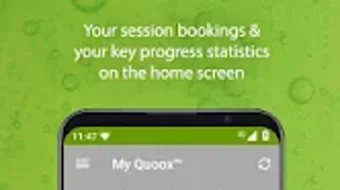

Download Quoox – gym app, fitness tracker, workout planner, training schedule, gym membership, home workouts, fitness progress, gym booking, training tracker, wellness app
Overview
Quoox is a mobile application tailored for members of gyms and wellness centers that utilize the Quoox Gym Management System. Designed to enhance the fitness experience, the app serves as a comprehensive digital companion for individuals committed to tracking their training journey and managing their gym activities efficiently. Its primary purpose is to streamline access to key gym services and personal fitness data, enabling users to stay engaged with their wellness goals from anywhere. The app supports features such as viewing session schedules, booking and canceling training sessions, monitoring fitness progress, and accessing home workout routines with downloadable guides.
Target users include gym members seeking greater control over their training schedules and wellness tracking, as well as staff members at partner centers who use the app to manage work shifts, clock in and out, and update timesheet records. Real-world usage scenarios include planning weekly workouts based on class availability, reviewing personal performance metrics after each session, and managing shift schedules remotely. The app is currently available exclusively on the Android platform, with no additional information provided about cross-platform support or integration with wearable devices.
The developer, Quoox, appears to focus on creating an integrated ecosystem between fitness centers and their members. However, specific details about the company’s background or broader product portfolio were not included in the provided information. Users must create a member account through their gym’s staff to gain access, which ensures a controlled and secure onboarding process. Technical support is handled through the gym’s staff, who coordinate with Quoox for issue resolution.
Key Features & Capabilities
- Session Schedule Access – Members can view real-time class and session schedules from their gym, helping them plan workouts around availability and preferred times.
- Booking & Cancellation System – Users can reserve training sessions directly through the app and cancel bookings when needed, reducing the risk of no-shows and improving scheduling efficiency.
- Training Progress Tracking – The app allows users to monitor their fitness journey by reviewing workout history, performance milestones, and personal records over time.
- Home Workout Library – A curated collection of home-based exercises and routines is available for download, supporting users who train outside the gym environment.
- Document Downloads – Useful resources such as workout guides, nutrition tips, and center policies can be accessed and saved offline for future reference.
- Shift Management for Staff – Employees can view assigned shifts, clock in and out digitally, and review or edit timesheet details within the app.
These features are designed to enhance both member engagement and operational efficiency for gym staff. For example, a user might plan their week by checking class availability, book a session, and then download a home workout to complete on rest days. Similarly, a staff member can manage their work schedule without relying on paper timesheets, improving accuracy and reducing administrative overhead. The app integrates seamlessly with the Quoox Gym Management System, ensuring data consistency across platforms.
User Interface, Workflow & Performance
The user interface of Quoox is structured to prioritize clarity and ease of navigation. Core functions such as scheduling, booking, and progress tracking are accessible through a clean, intuitive menu system. Users can quickly switch between member and staff views, depending on their role, with minimal steps required to perform actions like booking a session or clocking in.
Workflow efficiency is supported by a logical sequence of actions—users can browse the schedule, select a session, confirm the booking, and receive instant confirmation. The app also provides visual cues and notifications to help users stay on track with upcoming sessions or shift times. While no specific performance benchmarks were provided, the app’s lightweight size of 25.6 MB suggests optimized resource usage, which typically correlates with faster load times and lower battery consumption.
Stability and responsiveness are expected to be consistent with standard Android applications of similar scope. The developer did not specify resource usage details such as CPU or RAM consumption. Performance observations are based on general software behavior patterns for mobile fitness tools. Users can expect smooth operation during typical usage, though actual performance may vary depending on device capabilities and network conditions.
Compatibility & System Requirements
Quoox is designed exclusively for the Android operating system. The current version, 1.1.3, has a file size of 25.6 MB, indicating a lightweight installation that should fit comfortably on most modern Android devices. However, exact system requirements such as minimum Android version, RAM, or processor specifications were not listed by the developer.
Compatibility information was partially provided, with no mention of iOS or other platforms. The app is available for free on the Android platform, and users must have a Quoox member account to access its full functionality. Account creation requires coordination with gym staff, which may limit access to users of partner centers only. The developer did not provide details on hardware compatibility or device-specific limitations.
Pros and Cons
Pros
- Free to download and use, with no hidden costs
- Comprehensive toolset for both gym members and staff
- Intuitive interface with logical navigation flow
- Supports offline access to workout guides and documents
- Direct integration with the Quoox Gym Management System
Cons
- Currently available only on Android, limiting cross-platform access
- Account access requires coordination with gym staff
- No publicly available information on system requirements or device compatibility
- Performance details such as battery or memory usage were not specified
- Support is handled through gyms, not directly through the app
FAQ Section
Is Quoox available for iOS devices?
As of now, Quoox is only available on the Android platform. There is no official information about an iOS version.
Can I use Quoox without a gym membership?
No. Access to the app requires a Quoox member account, which can only be created through a staff member at a participating gym or wellness center.
Is the app secure and safe to use?
Quoox is designed for use within the Quoox Gym Management System, which implies a secure environment. However, specific security measures such as encryption or data protection policies were not disclosed.
How often are updates released?
The latest version is 1.1.3, released on April 25, 2024. No information was provided about the frequency or update schedule for future releases.
Can I use Quoox offline?
Yes, users can download workout guides and documents for offline use. However, real-time features such as booking or shift management require an active internet connection.
Final Thoughts
Quoox stands out as a practical, all-in-one solution for gym members and staff within the Quoox Gym Management System ecosystem. Its blend of fitness tracking, scheduling, and workforce management features offers tangible value for users seeking a streamlined approach to their wellness journey and operational tasks. While the app’s exclusive Android availability and reliance on gym-based account creation may limit accessibility, its free pricing and robust feature set make it a compelling choice for eligible users.
For gym-goers who want to stay organized, track their progress, and access home workouts, Quoox delivers a focused and functional experience. Staff members benefit from simplified shift and timesheet management, reducing administrative workload. The app’s lightweight design and clear interface further enhance usability.
Download Quoox now to take full control of your fitness and work schedules.







